4 Apps To Keep Track of Books In Your Library

I've never really counted, but I imagine I have about 400 or so books and counting in my personal library. I outgrew several book shelves that I had, so two years ago I installed some wall shelving so I could fit even more books. After a while, keeping track of a decent number of books can be somewhat difficult. And if you ever let people borrow books, as I sometimes do, things can get even more confusing.
That's why I was glad to learn about some apps out there that help you do just that. Here are 5 popular apps to help you keep track of your books.
1. Bookpedia
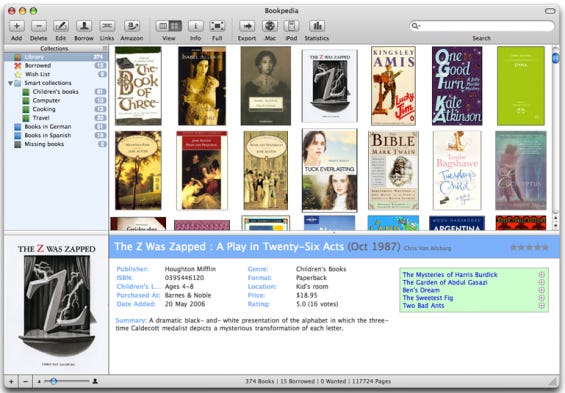
I saw a demo of Bookpedia from a friend and it seems pretty nice. It's $18, and is only the for Mac, but has a ton of features. You can use your iSight camera on your mac to scan the barcode on the back of the book, and it will import all the pertinent data for your library. It also allows you to "lend" books and it will give you a reminder for when the book is due back in your library.
2. Shelfari
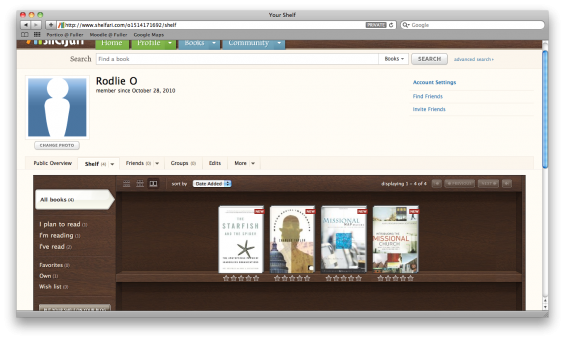
Shelfari is a free web app. I like all things web. I tend to think that if something happened to my computer, at least the data would still be saved on the site. But, everything has its downsides too, right? I set up an account with them to see what it would be like. It's easy enough to add books. It has a search bar like on Amazon.com. You type part of the title, and it will add the rest for you. Once it finds the book, you click add and you're done. The only problem is that it doesn't have very many features. You can categorize the books, but that's it. This is mainly a social app to help you share what you're reading and learn about more books.
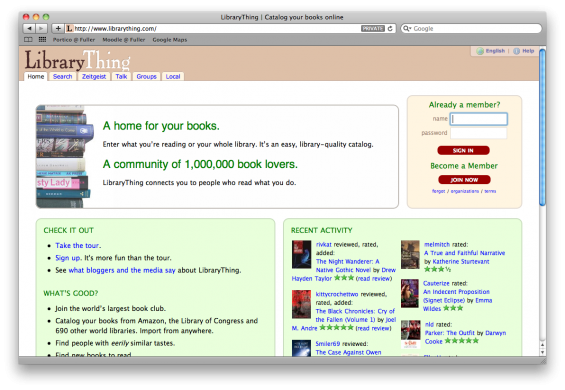
I heard about Library Thing from an NPR report I was listening to. Aesthetically speaking it's not very impressive. I'm a very visual guy, so I'm automatically attracted to beautiful sites and apps. In that arena, this didn't do much for me. But, it does have quite a bit under the hood. It's a free web app. It allows you to catalog all your books in the same way as Shelfari, but it also allows you to "lend" books out. So....even though it's not really slick looking, it does seem quite nice.
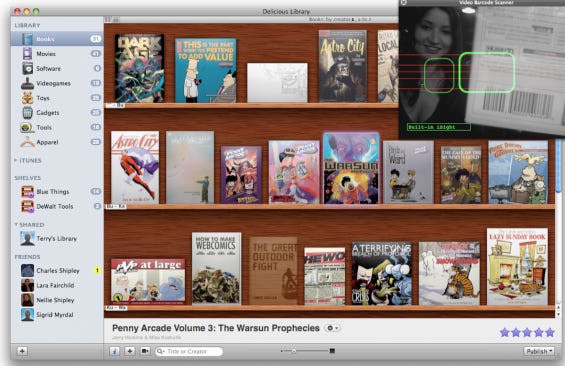
Finally, there's one called Delicious Library. Visually, this thing is stunning. It's a Mac app of course! (does that sound snobby? Hmm..) It allows you to enter in your books by any of the other methods that have been mentioned, but also a few extra. It allows you to export to an iPhone version so you can have a list of all your books on the go. It also allows you to sync your book list with iTunes so you can see them from there, which means you can use the apple remote to access the list. Pretty sweet.
So which is the winner? I'm not sure. But I'm leaning towards Delicious Library or Library Thing.